


THE CABIN CONSOLE
Running the cabin: what the Inflight Management Panel does
The panel you fly with: what the wheel does, why the cabin signs take four seconds to come on, and why the doors refuse to work while the aeroplane is moving.
The recorder in the back watches you fly. The panel in front of you is the other half of the job: a hundred and seventy people who need boarding, telling, feeding and getting off again, and who form an opinion about all of it.
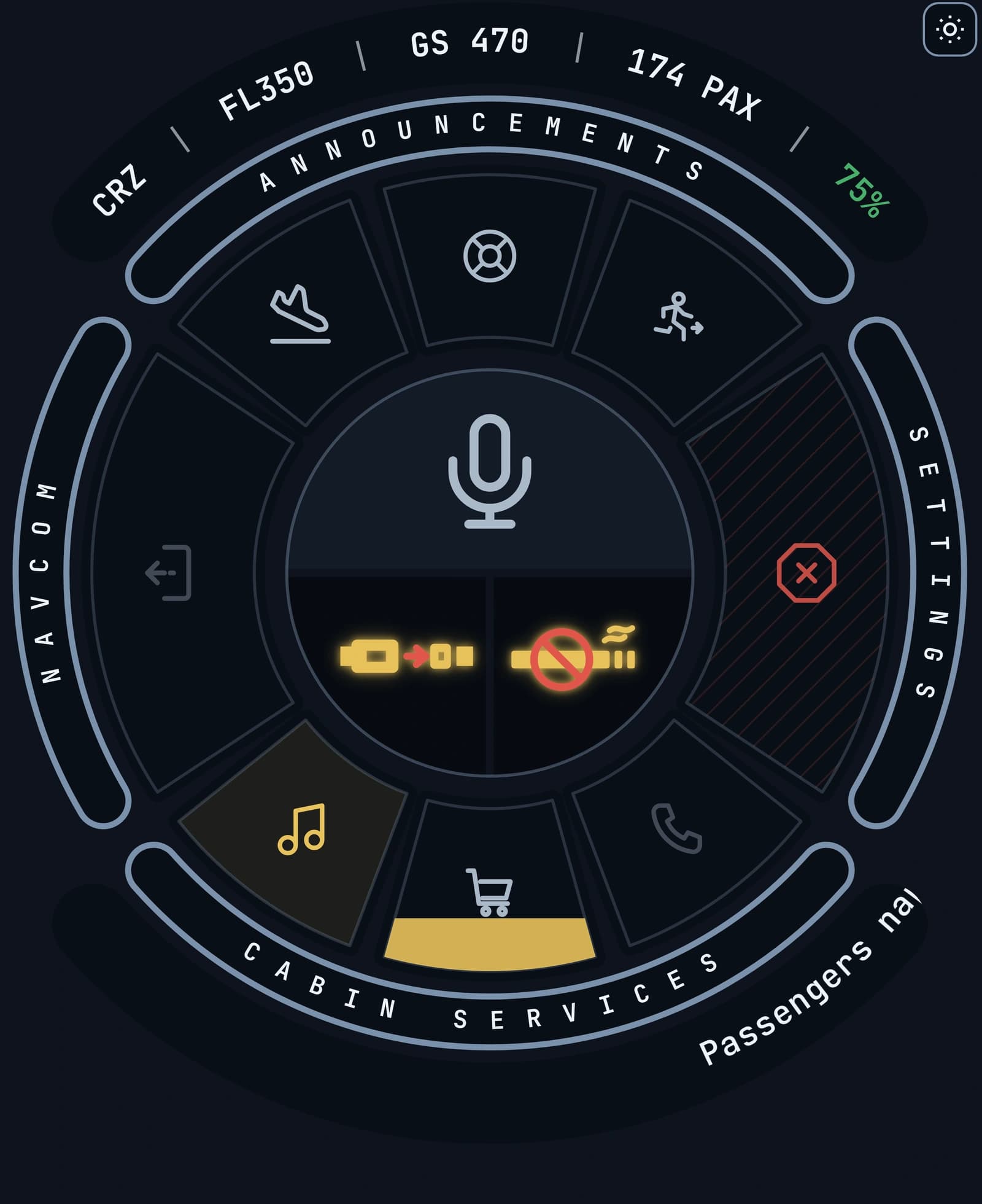
It is one instrument — a wheel of eight keys around a hub that is the cabin handset, with the two overhead signs beneath it and a named band on each side. This is what each part of it does, and why several of them deliberately refuse.
The hub is the handset
The middle of the wheel is a microphone, and it is the biggest thing on the instrument. One press makes the routine call to the cabin, and it knows where in the sector you are: at the gate it speaks the welcome, in the air it makes the general announcement. The whole top half of the hub lights green under the cursor.
It is that big for one reason. It is the key whose job is to be found mid-sector, with one hand, without looking down — so it is in the middle, and nothing else is that size. The rest of the announcements are a right-click away on the same key.
The state of the flight is not in the hub. It is the first thing on the line above the wheel: START at the gate, the phase of flight while the sector runs, STOP when the aeroplane offers you the end, FILED once it is over. Printed there once, and nowhere else on the console.
The keys are grouped, and the wheel says how
Eight keys sit as sectors of a ring, and four engraved bands around it name what the keys beside them do. ANNOUNCEMENTS runs across the top, CABIN SERVICES across the bottom, and each side carries a band that is itself a key: NAVCOM beside the doors, SETTINGS beside the one that cancels the flight.
The doors are on the left, the way in and out of the aeroplane. Cancelling the sector is on the right, as far from the doors as the wheel allows, and it is the only key wearing a hatched cover — the one press here that cannot be taken back.
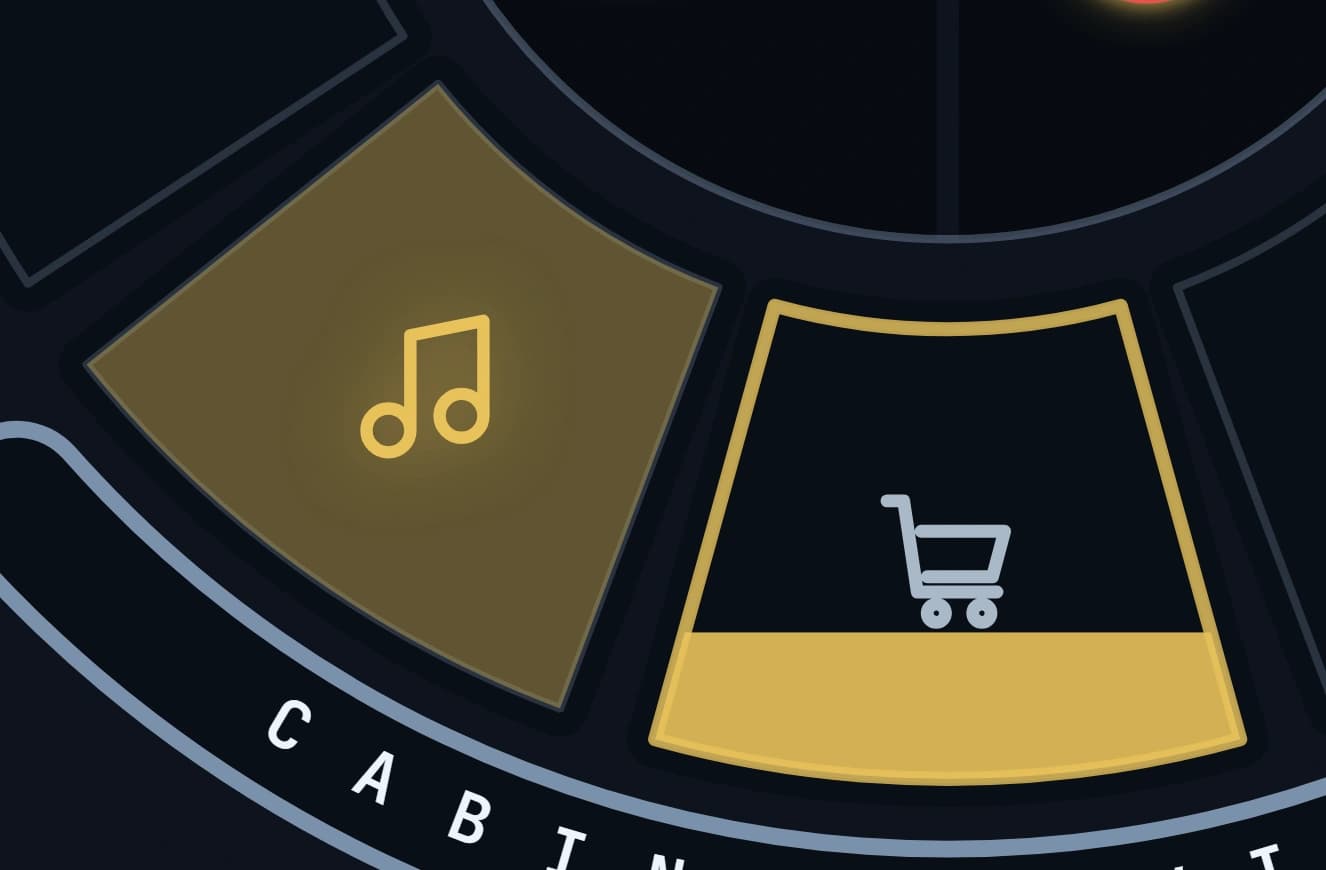
The three keys along the top are Divert, Brace and Evacuate: the calls you make when the sector has stopped going to plan. Each is one press, which is the whole reason none of them is buried in a menu, and each asks you once before anything is said in the cabin. Along the bottom sit the music, the cabin service and the interphone the crew call you on.
Nothing is labelled beyond that. A key you have not met names itself when you hover it, in one line under the wheel — the console is icons because a cabin panel is icons, and the caption is there so that is never a guessing game.
The cabin signs are quarters of the instrument
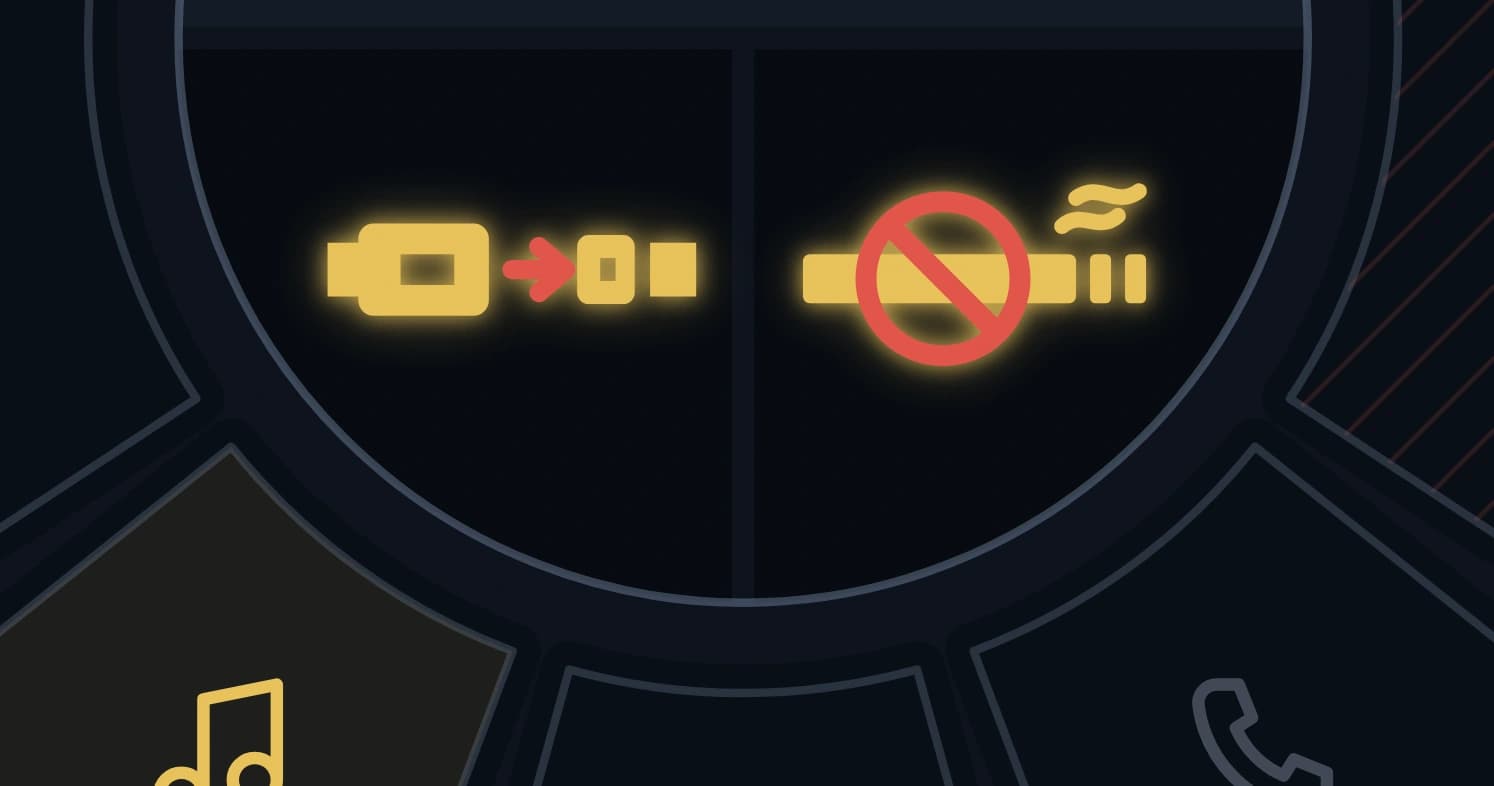
The seat-belt and no-smoking signs are not two small buttons in a row. Each of them is a quarter of the hub, under the handset, because that is what they are on an aeroplane: lit panels, not switches on a list.
Switching one on takes a little over four seconds. A ripple travels out from the centre of the wheel five times while the placard itself beats three times between dead grey and lit; the two rhythms are deliberately different lengths and land together, the face settles back to its normal dark, and the sign is on. Only then does the cabin bell ring.
That order is the point. The bell is what a cabin hears once the sign IS on, so it comes after the sign is up rather than at the moment you press. Switch it off inside those four seconds and nothing rings at all — there is no longer a sign to ring about.
The seat-belt sign follows your cockpit switch as readily as the panel key, and comes up the same way whichever you used. Switching either off is instant and silent: a sign going out is not an event that needs staging.
None of that delays anything that counts
The four seconds are light and sound only. The cabin model has the sign on from the moment you press, and the seat-belt compliance clock runs off that, not off the animation.
A pilot who turns the sign on the instant it is demanded is credited at the press. It would be a poor trade to make an instrument prettier and a rule harder to satisfy at the same time.
The doors will not work while you are moving
Boarding, deboarding and ending the flight are one key on the left of the wheel, and it is live at two moments: on stand before the flight, and at the stand after it. In between — in the cruise, on the rollout, taxiing in — it is dead, and that has always been true. The sector begins and ends on the same key because they are the same thread.
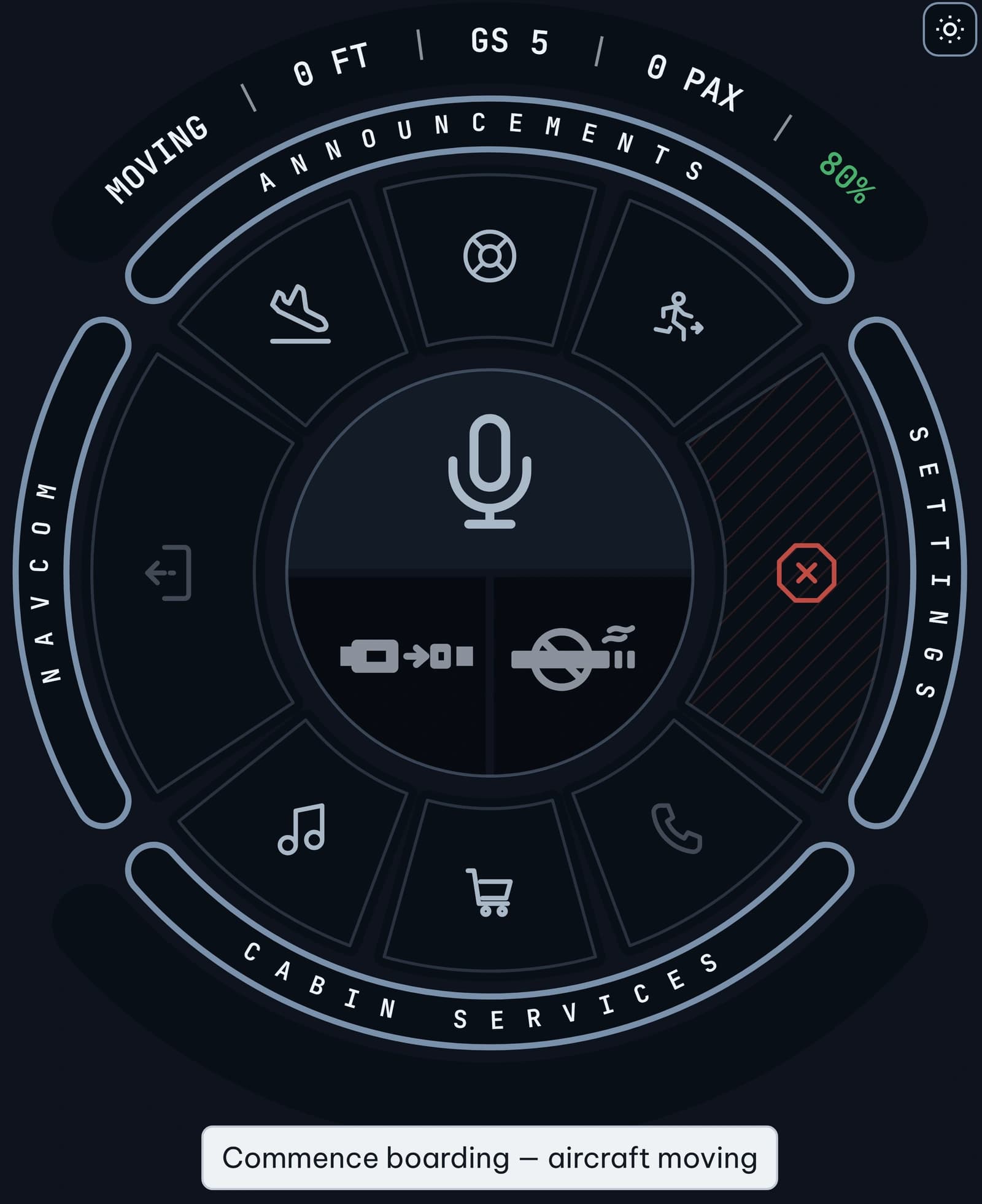
What is new is that being on stand is no longer enough. Above one knot of ground speed the key refuses, whatever else is true. Nothing in "before the flight" says stationary, and a pilot who loaded up, taxied out and only then remembered to press Commence Boarding was boarding a full aeroplane on a taxiway.
One knot rather than a taxi speed, deliberately: there is no speed between a creep and a walk at which working a door is acceptable. The key greys out, the line above the wheel reads MOVING, and the caption underneath says why — so you can see it before you press rather than after.
The service, and the announcements
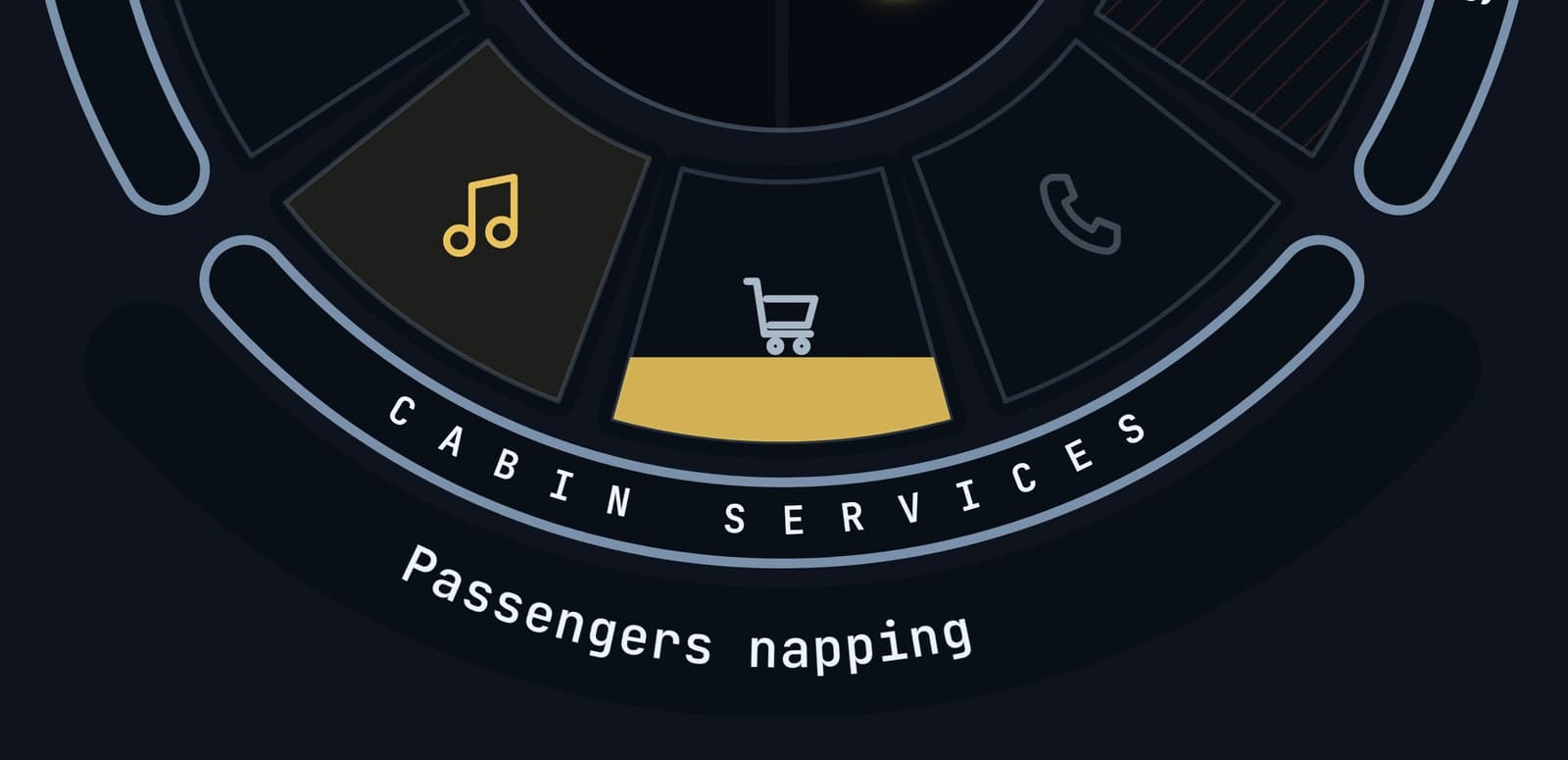
Press the service key and a strip of three wipes open under the wheel — sandwiches, a hot meal, drinks — in space the console was already holding for it, so nothing on your screen moves. The wedge on the wheel fills as the crew work the aisle, and a full wedge is a service completed. All three are locked below ten thousand feet in both directions, because the crew are strapped in there and a service that worked would just be points at the wrong moment.
The announcements are the handset in the middle and the three keys above it. Brace and Evacuate ask before they announce, and so does Divert: a misfired brace call is not something that should be one press away, and a diversion announced to a cabin that is not diverting is not much better.
Any announcement cuts the music, opens the handset, and brings the music back afterwards. A cabin does not play boarding music underneath the purser.
And the music keeps time
Boarding music plays from the client, and the music key beats with it. Not on a timer: the console listens to what is actually coming out of the speaker, watches the bass, and flares the key when it finds a kick. The flare fades between beats, so the key breathes rather than blinks.
It works with your own music. Drop your own tracks into the folder and nothing needs configuring — the panel is not reading a tempo written down somewhere, it is listening. Anything with a clear kick and it locks on.
The honest limit: it follows a beat, so a piece with no percussion gives it little to find. Solo piano or ambient will flare occasionally on the loudest low notes rather than keeping steady time. It will not look broken, it will simply have less to follow.
What it does not do
It does not write to your simulator. It reads the aeroplane and shows you the cabin; nothing it does changes what your aircraft is doing.
It does not need a second window. The checklist opens inside the console, on the band down its left-hand side, rather than as another thing to arrange on a screen that already has a simulator on it.
And it does not decide the flight is over. The recorder waits to be told, by the same key that started it.